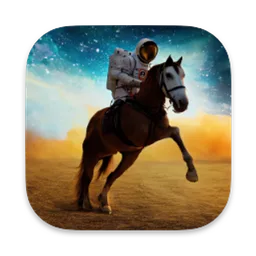
Draw Things for MAC
Free AI image generator for Mac that runs models locally and offline, with an infinite canvas, image-to-video and on-device LoRA training.
Draw Things Overview
Draw Things is an AI image generation app for the Mac, iPhone and iPad. You download image models from its servers and generate pictures locally on your own Mac, so prompts and images stay on your device and work offline. Beyond text-to-image, it can turn images into short video clips, restyle a photo, extend a picture on an infinite canvas and train your own LoRAs entirely on the device. The app keeps adding support for new model families: recent releases added FLUX.3 [klein], Qwen Image 2.1, Krea 2, Ideogram 4 and MiniMax H3 models.
Draw Things is made by Draw Things, Inc. The Free Edition, which runs everything on your own Mac, costs nothing. A free Community account adds optional cloud compute on Draw Things' own servers, and Draw Things+ (US$8.99 a month) gives higher cloud limits and premium cloud features such as custom LoRA uploads. Version 26.1020.0 adds FLUX.3 [klein] 5.6B and MOSS Image models. The Mac app is a universal app for Apple Silicon and Intel Macs and needs macOS 12.4 or later.
Key Features
Draw Things covers the whole image generation workflow on your own Mac.
- Local generation: models run on your Mac, privately and offline.
- Model downloads: get supported models straight from the app.
- Image-to-video: animate a still image into a short clip.
- Infinite canvas: extend an image and fill any part of it.
- Style transfer: reimagine a photo in another style.
- LoRA training: train LoRAs on the device, without uploading images.
- Moodboard: collect reference images and extract depth maps.
- Optional cloud compute: offload jobs with a free Community account.
What’s New in Version 26.1020.0
Draw Things 26.1020.0 adds new model families and a quality fix.
- Support for FLUX.3 [klein] 5.6B series models
- Support for MOSS Image series models
- Fixed a quality issue with Anima series models
Draw Things FAQ
Is Draw Things free?
Yes. The Free Edition, which generates images locally on your Mac, is free. An optional Draw Things+ subscription (US$8.99 a month) adds higher cloud compute limits and premium cloud features.
Does Draw Things work offline?
Yes. After you download a model, image generation runs locally on your Mac without an internet connection.
Which macOS version does Draw Things need?
The current Mac app needs macOS 12.4 or later.
Does Draw Things run on Intel Macs?
Yes. The download from the official site is a universal app for Apple Silicon and Intel Macs.
Do I need an account?
No. An account is only needed for the optional cloud features. The free Community account lets you offload generation to Draw Things' servers.
Which AI models does Draw Things support?
Draw Things supports many model families. Recent releases added FLUX.3 [klein], MOSS Image, Qwen Image 2.1, Krea 2, Ideogram 4 and MiniMax H3 models, among others.
Can Draw Things make videos?
Yes. Its image-to-video tools create short clips from your images.
Can I train my own LoRA with Draw Things?
Yes. LoRA training runs entirely on your device, so your training images are not uploaded.
Is Draw Things also on the Mac App Store?
Yes. Draw Things is also available free on the App Store for Mac, iPhone and iPad.
Where does the Draw Things download on draw-things.FULLMAC.app come from?
The download button leads to the official Draw Things downloads page at https://drawthings.ai/downloads/. draw-things.FULLMAC.app does not change or repackage the app.
Similar Apps
 Live TranslatorLive Translator is a free, open-source Mac app that translates whatever audio your Mac is playing, such as YouTube videos, podcasts, meetings and movies, and shows the translation live in a floating panel. It sits in the menu bar, captures system audio through Apple's ScreenCaptureKit, turns the speech into text and sends the text to an AI model that writes a natural translation. The AI sees the whole conversation, so the translation reads like a growing document rather than word-by-word subtitles, and new parts are highlighted.AI
 JanJan is a free, open-source app for running AI models on your own Mac. You can download large language models such as Llama, Gemma, Qwen and GPT-oss from Hugging Face and chat with them locally, so everything can stay on your computer. When you want, Jan can also connect to cloud models from OpenAI, Anthropic, Mistral, Groq, MiniMax and others with your own API keys. Custom assistants, a local OpenAI-compatible API server on localhost:1337 and Model Context Protocol support make it useful for agent and developer work too.AI
 OsaurusOsaurus is a native Mac app for running AI assistants and agents that keep their memory, tools and keys on your own computer. You talk to one assistant, the Orchestrator, which answers questions, changes Osaurus settings after showing you an approval card, hands work to a small team of agents tied to apps such as Calendar, Reminders, Mail and Notes, and runs saved workflows. On first launch you choose how it runs: a private model on your Mac through MLX, Osaurus Cloud, or an AI account you already have, and you can switch later without losing your agents and memory.AI
 ClaudeBarClaudeBar is a menu bar app that shows how much of your AI coding quota is left. It reads the limits of the coding assistants you use, such as Claude, Codex, Gemini, Copilot and Cursor, and many more providers including OpenRouter, DeepSeek, Mistral and Windsurf. For each one it shows what is used and what remains, counts down to the next reset and sends a notification before you run out, so you are not stopped in the middle of a task.AI
 AnythingLLMAnythingLLM is a desktop AI app that lets you chat with your own documents and use AI agents on your Mac. Drop in PDFs, text files, Word documents and more, and the chat answers with citations to its sources. It has a built-in local LLM engine, so you can run models on your own Mac without extra setup, and it also works with local tools such as Ollama and LM Studio or with cloud providers such as OpenAI, Anthropic, Google Gemini, Mistral and Groq.AI
 AionUiAionUi is a desktop app for working with AI agents. It ships with its own agent engine, so it works as soon as it is installed: you paste an API key from Gemini, OpenAI, Anthropic or another of more than 30 supported platforms, or point it at a local model in Ollama or LM Studio. The agent can read and write files, search the web, generate images and use MCP (Model Context Protocol) tools, and 21 ready-made assistants help with tasks such as creating PowerPoint, Word and Excel files.AI
FULLMAC.app does not host this app. Download buttons lead to the developer’s own pages.